

How to change your email
If you need to update the email address associated with your MintMe.com account, follow the steps below.
Steps to Change Your Email:
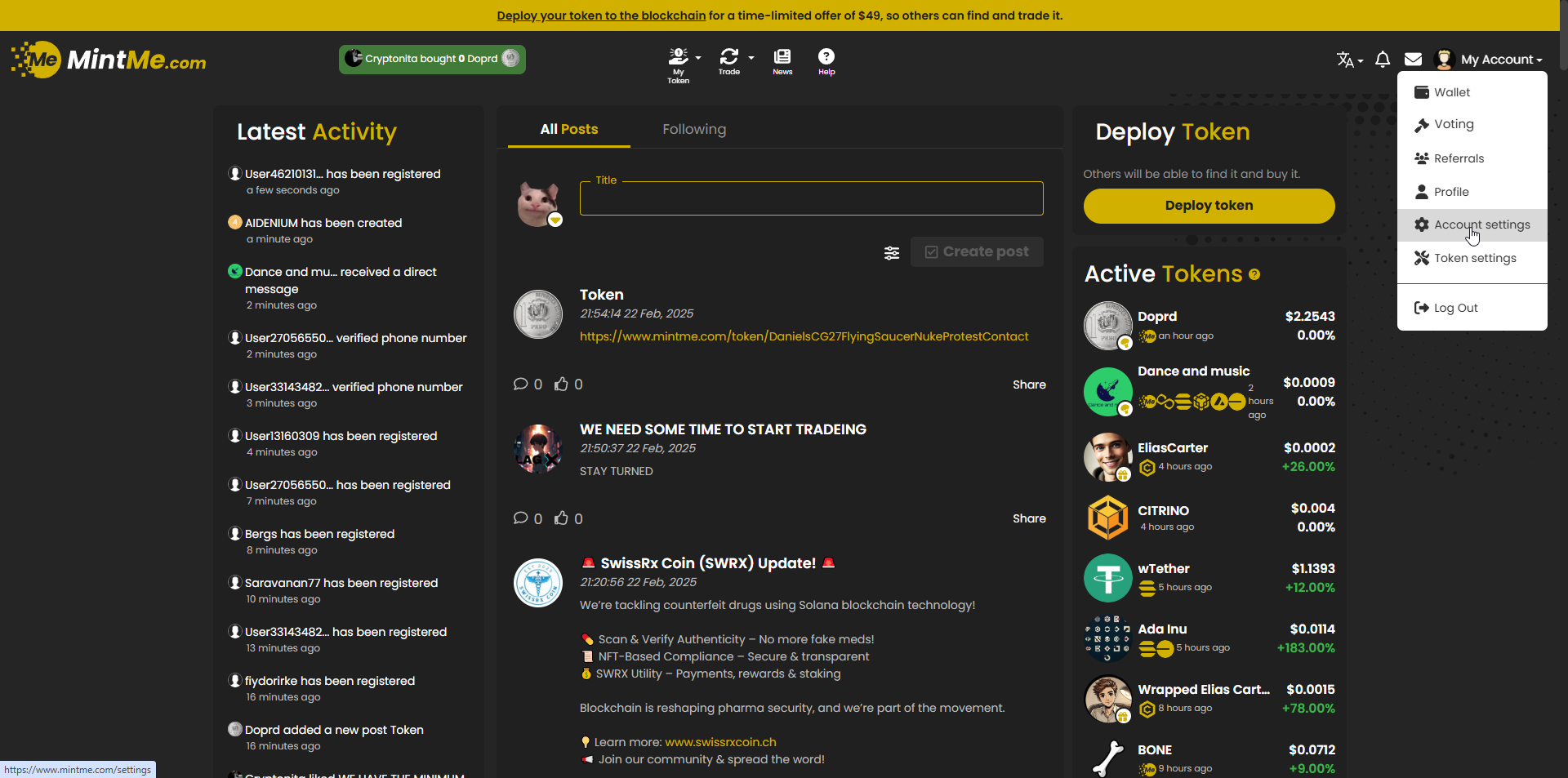
1. To begin, "Log In" to your MintMe Account, click on “My Account” in the top-right corner, and select “Account settings” from the drop-down menu.
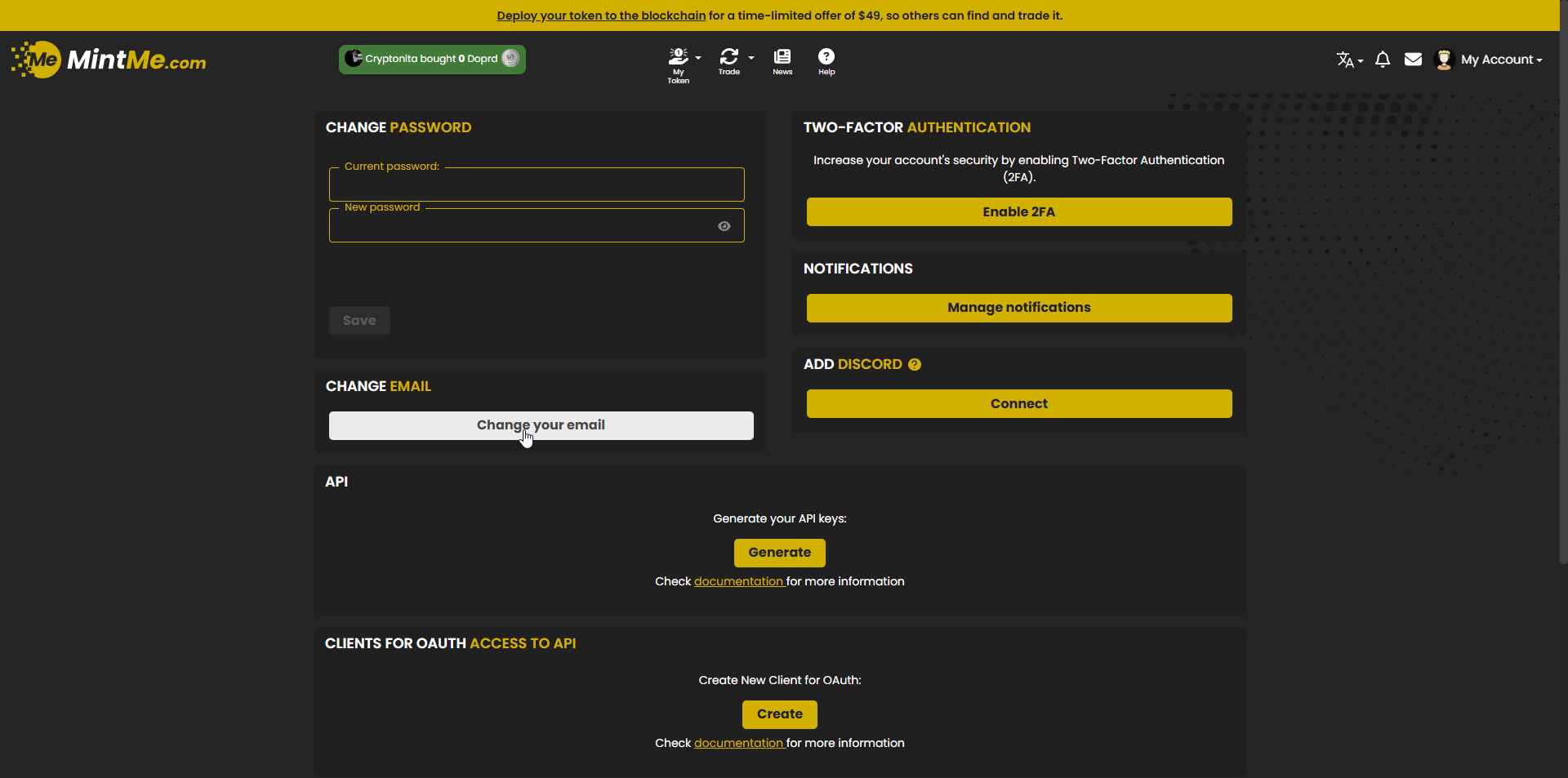
2. Scroll down to the "CHANGE EMAIL" section and click the "Change your email" button.
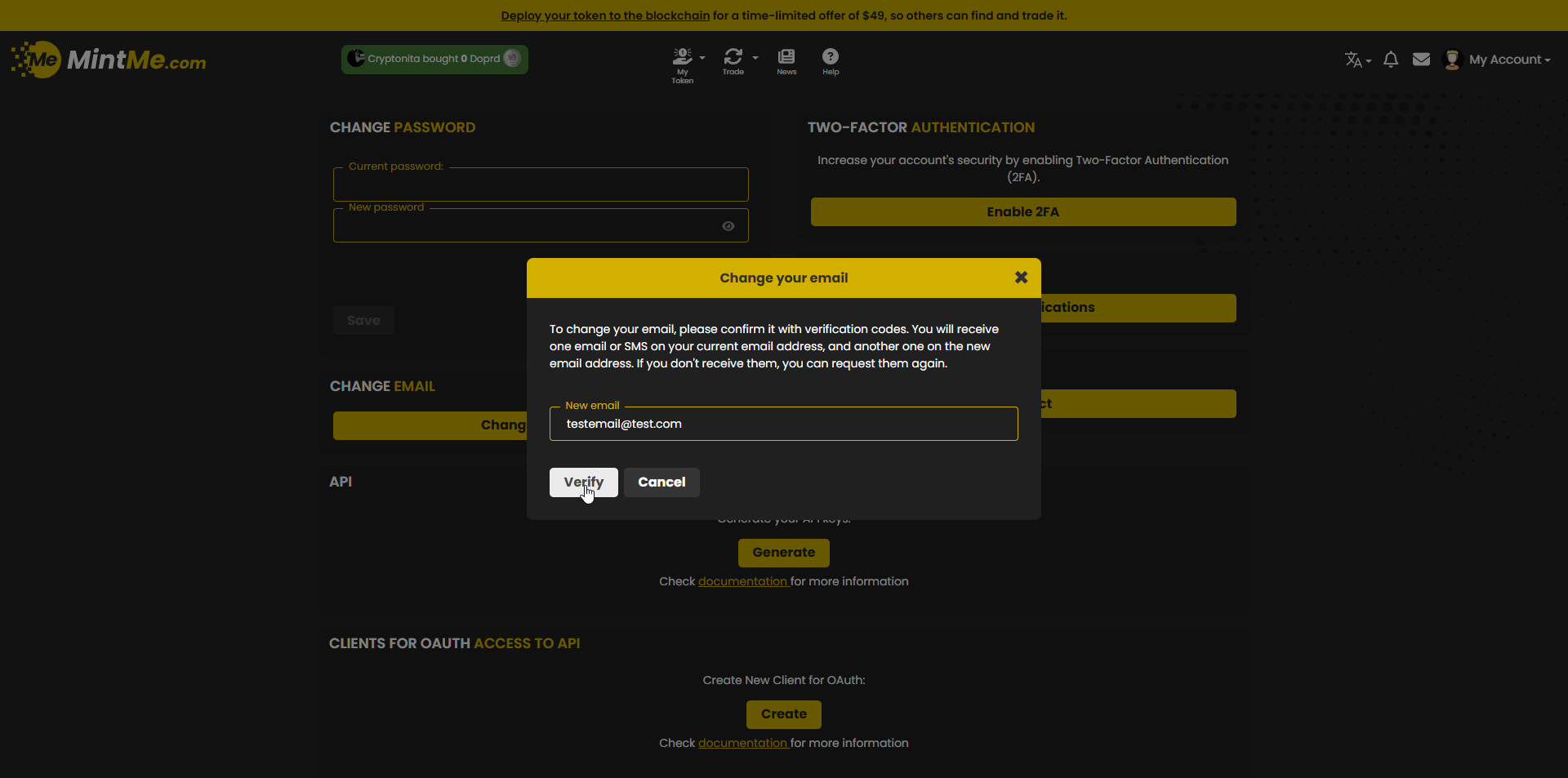
3. Enter your new email address in the provided field and click on the “Verify” button to proceed.
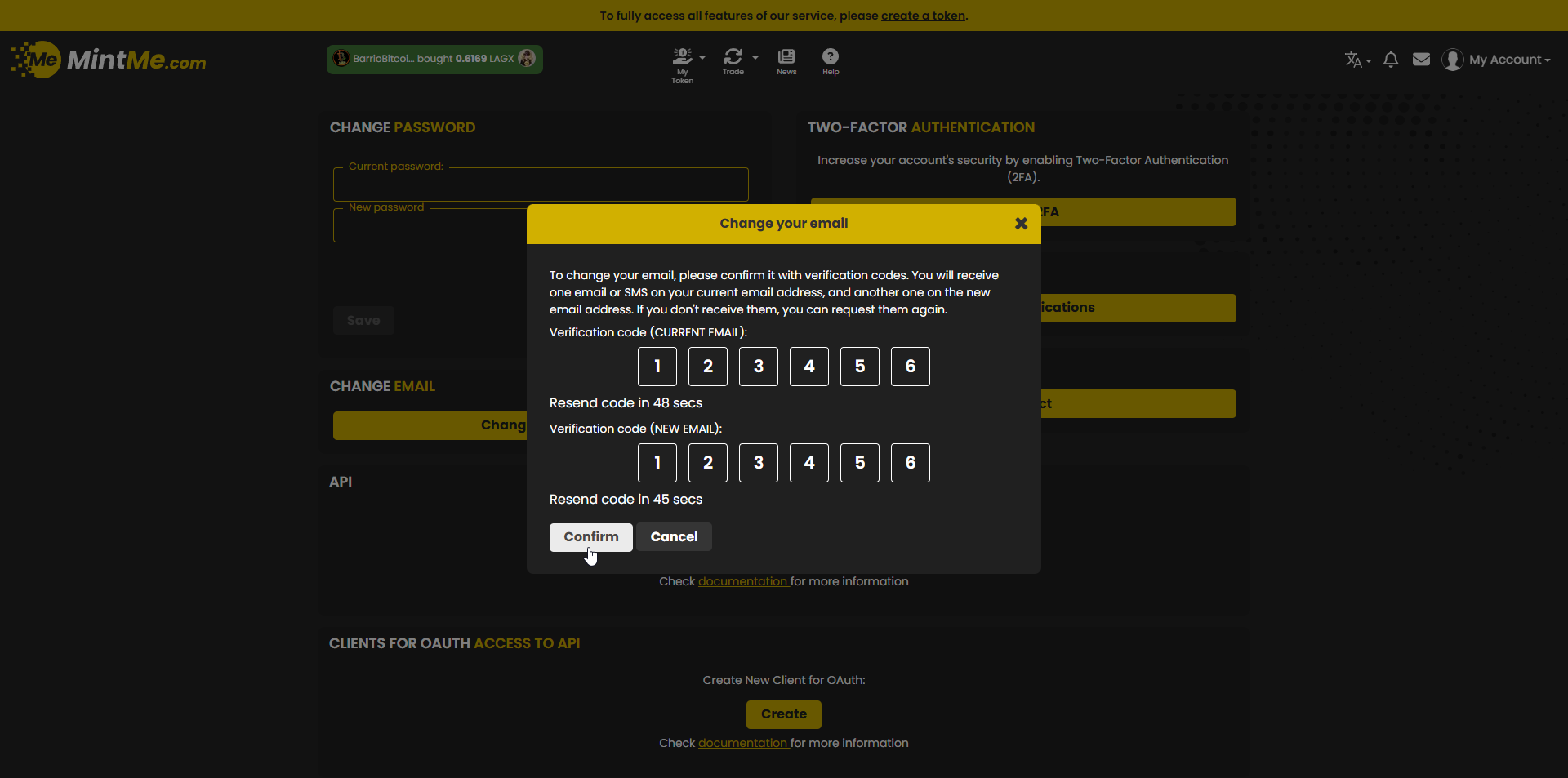
4. A verification email will be sent to both your previous and new email addresses. Please check your inboxes for the codes, enter them, and click on the "Confirm" button to complete the update.
Notes:
- You can also choose to use your phone number for verification via SMS.
- You must verify your new email before it becomes active.
- If you don’t see the verification email, check your spam folder or resend it from the account settings page.
- If you're having trouble changing your email, feel free to contact us at support@mintme.com.